User-Friendly Interface
The VeeLark YouTube to MP3 online tool is designed for simplicity. With an intuitive layout, even first-time users can convert and get YouTube MP3 download in seconds without any technical hurdles.

Pro Video Converter is not available
for iOS now
Leave your Email to get direct download links of the Pro Video Converter for Windows & Mac.
Join successfully. You will receive an email soon.
We've already sent an email to this mailbox.
Download & convert YouTube to MP3 files fast and safe

Convert YouTube to MP3 at up to 320kbps quality.
Boost your downloads 5X faster than online tool.
Download multiple music or playlists in batch.
Enjoy your MP3 directly with built-in music player.
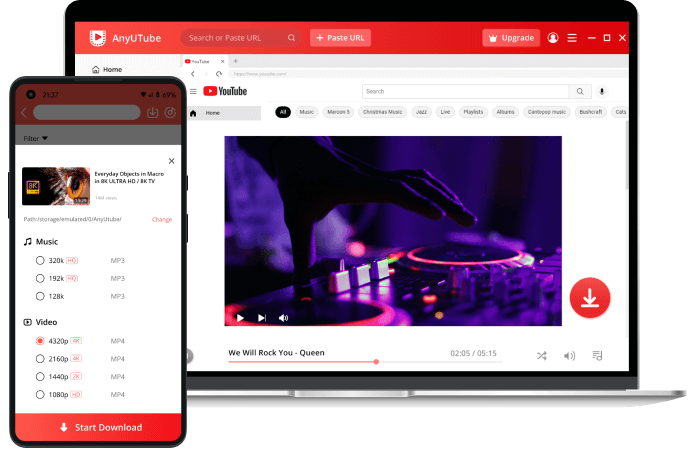
Follow these 3 simple steps to get your YouTube MP3 download instantly:
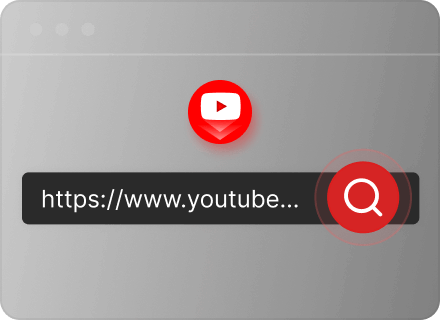
Go to YouTube, find the video you want to convert, and copy its link from the browser address bar or the Share button.
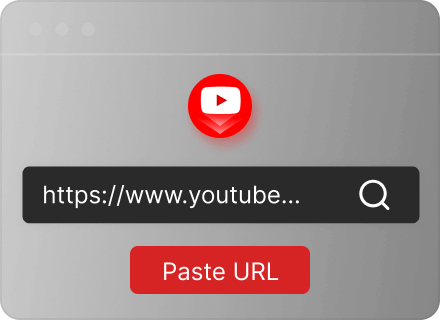
Return to our YT to MP3 Converter and paste the URL. You can also search keywords for wider search. Then, click the "Search" button.
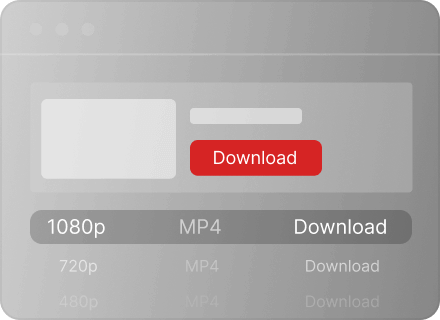
Choose your preferred audio quality in MP3 format from the search result. Click the Download button to save YT mp3 file.
Enjoy a seamless web-based conversion experience without installing any programs. Our YouTube audio downloader works perfectly on any browser (Chrome, Safari, Edge), providing a 100% free YouTube to MP3 conversion service with no hidden costs.
Experience the most reliable online YouTube to MP3 converter with a focus on user privacy. Our tool is fully secure, free from malware and most importantly, contains no intrusive pop-up ads to interrupt your YouTube to MP3 free download process.
Beyond just convert YouTube music to MP3, VeeLark allows you to convert YouTube videos to MP3 audio. It's the perfect solution for users who prefer listening to background audio, podcasts, or lectures on the go instead of streaming data-heavy videos.
To download MP3 from YouTube, simply copy any valid YouTube link and paste it into our smart detection box. Our system will automatically analyze the URL and convert YouTube to MP3 files without any technical hassle or registration.
Convert your MP3 audio to MP4 video online for free without downloading any software or plugins.
Convert MP3 to WAV for lossless, uncompressed quality, ideal for professional editing and playback.
Optimize your audio files with OGG conversion, providing high-quality sound at smaller file sizes.

The VeeLark YouTube to MP3 online tool is designed for simplicity. With an intuitive layout, even first-time users can convert and get YouTube MP3 download in seconds without any technical hurdles.

Don't wait around for your music. Thanks to our advanced high-speed video processing algorithms, we handle YouTube to MP3 converts in a flash, delivering your files faster than standard online tools.

Our YouTube to MP3 converter online is fully responsive and works perfectly across all devices. Whether you are on Windows, Mac, Android or iOS, you can access our service anytime, anywhere.

We value your privacy. There is no need to sign up, log in, or provide any personal information. Simply visit the site and start downloading your favorite YouTube videos to MP3 immediately for free.
Converting YouTube to MP3 is simple with VeeLark:
1. Find your favorite YouTube video and copy its link from the address bar.
2. Paste the URL into the search box of YouTube MP3 Converter and hit "Search."
3. Select your preferred MP3 quality and click the final download button to save the file to your device.
VeeLark is widely considered the best YouTube to MP3 converter free online because it requires no installation. It works perfectly on any operating system, including Windows, Mac, Android, and iPhone, providing a seamless high-speed conversion experience across all desktop platforms.
Yes! Our YouTube to MP3 downloader is fully mobile-optimized. You can use it on any mobile browser like Safari or Chrome. Simply paste the YouTube link into our tool on your iPhone or Android device to convert videos to MP3 instantly, no extra app needed.
No. This is a purely web-based tool. You don't need to install any third-party software, plugins, or browser extensions to convert YouTube to MP3. This ensures your device remains fast and secure while providing the most convenient download experience.
To get the best audio experience, use our Pro Downloader features. It allows you to convert YouTube videos to MP3 at 320kbps (the highest bitrate available) for crystal-clear offline playback.
Once the conversion is complete, the file is automatically saved to your device's default "Downloads" folder. On most browsers, you can press Ctrl + J (Windows) or Cmd + Shift + J (Mac) to view your download history and locate the file immediately.
The conversion process is lightning-fast. For most music videos, our YouTube to MP3 music downloader takes only a few seconds to process and download. While longer videos or higher bitrates may take slightly more time, our optimized cloud servers ensure the most efficient speed available.
Show your love by giving 5 stars!
Don't forget to share the YouTube to MP3 Converter with your friends!
Copyright infringement is strictly prohibited. Downloads are for personal, non-commercial use only.
Last updated: 2026-03-05
